We all know that default screen brightness spectrum feels perfectly normal during the day but is too harsh at night. You are lying in bed, the lights are off, and you pick up your phone to read something. Even at the lowest brightness setting, the screen seems to light up half the room.
I’ve run into this problem often enough to want something better. So I’ve searched through the Play Store. There are already Android apps that warm up the screen or make it darker, so the idea behind Darkly wasn’t to invent an entirely new category. It was to build something I would genuinely want to use, with the controls I was missing in other apps and without making a simple task unnecessarily complicated or expensive.
That’s how Darkly for Android came about. It is a small, practical app built around a simple idea – your screen should adapt to your evening, rather than forcing your eyes to adapt to your screen.
This is also a natural fit for Cyberfulness. Smart technology use isn’t always about spending less time with every device or hiding your phone after sunset. Sometimes it means making a small change to the way you use technology, so that it fits more comfortably into your life.
Why screen light matters
Light does more than help us see. It also provides the body with information about the time of day. Our internal (circadian) rhythm that helps to regulate sleep and being awake responds to light, including its intensity, timing and composition (spectrum). Exposure to light in the evening can influence melatonin production and strongly shift the body’s internal timing, although the effect depends on several factors, including the brightness of the light, how long we are exposed to it and our personal vision sensitivity.
The topic of blue light is important because our vision systems respond strongly to shorter wavelengths (like blue light). That doesn’t mean it is inherently bad. During the day, light helps us stay awake and regulate our body clock. Obviously this changes in the evening, when the body is preparing for sleep.
I’ve explored this in more detail in the Cyberfulness article How Blue Light Shapes Your Sleep and Health. I strongly recommend reading it. It explains in details why evening light deserves more attention and why sleep habits are about more than simply switching on a filter.
The key distinction is that cutting blue light (or, more precisely, blue-enriched light) doesn’t remove every way a screen can affect your sleep. Brightness, how long you’re exposed, what you’re doing on the phone, and how late you end up going to bed all play a part. A quiet reading session at low brightness is a very different experience from an hour of stimulating videos that pushes your bedtime back.
Darkly handles one piece of the whole picture – precisely how the screen looks and how intense it is. It can’t decide when you go to bed, and it can’t make late-night scrolling harmless. What it can do is give you more control over the light your display puts out.
Sourced from 1
Why I built Darkly instead of settling for another night filter
I didn’t start this project because the Play Store was missing apps that could make a screen warmer. There are already quite plenty of them. I started because I use this kind of functionality myself, and the available options didn’t always give me what I wanted without limitations or extra complexity.
Some apps lock useful features behind a paid tier. Others pack in so many settings that the experience gets more complicated than the app needs to be. I wanted to adjust color temperature, dim the screen below the system minimum, and schedule those changes my way, all without wading through a maze of menus or paying a subscription fee.
Darkly grew out of those limitations. It is a personal solution to a small everyday problem, developed as an app that other people can use too. The goal absolutely wasn’t to build the biggest night-filter app on Android. It was designed to cover the essentials, the basics, properly and make them easy to use.
Average screen time by age (hours)
Sourced from 2
Why Android, rather than iOS?
Android by default allows apps, with the appropriate permissions to put overlays on top of other applications. That makes it possible for Darkly to apply a filter on top of most of the interface (including notifications bar and sleep screen) rather than relying only on functionality provided by individual apps. Android also gives app developers options for scheduling background behavior which helped creating one of the more desirable feature.
Apple already provides built-in tools such as Night Shift, which shifts display colors toward warmer tones, and Reduce White Point, which reduces the intensity of certain colors. These are useful features and for many iPhone users they may be enough. However iOS places much stronger restrictions on third-party apps that attempt to draw system-wide overlays or change the appearance of other apps. A third-party app cannot simply reproduce the same system-wide filtering approach available on Android.
That makes Android the more practical platform for the functionality I wanted to build. It also lets me focus on making the app work within what the operating system allows, rather than trying to recreate features Apple already handles itself, which would leave an app like this nearly useless.
What Darkly actually does
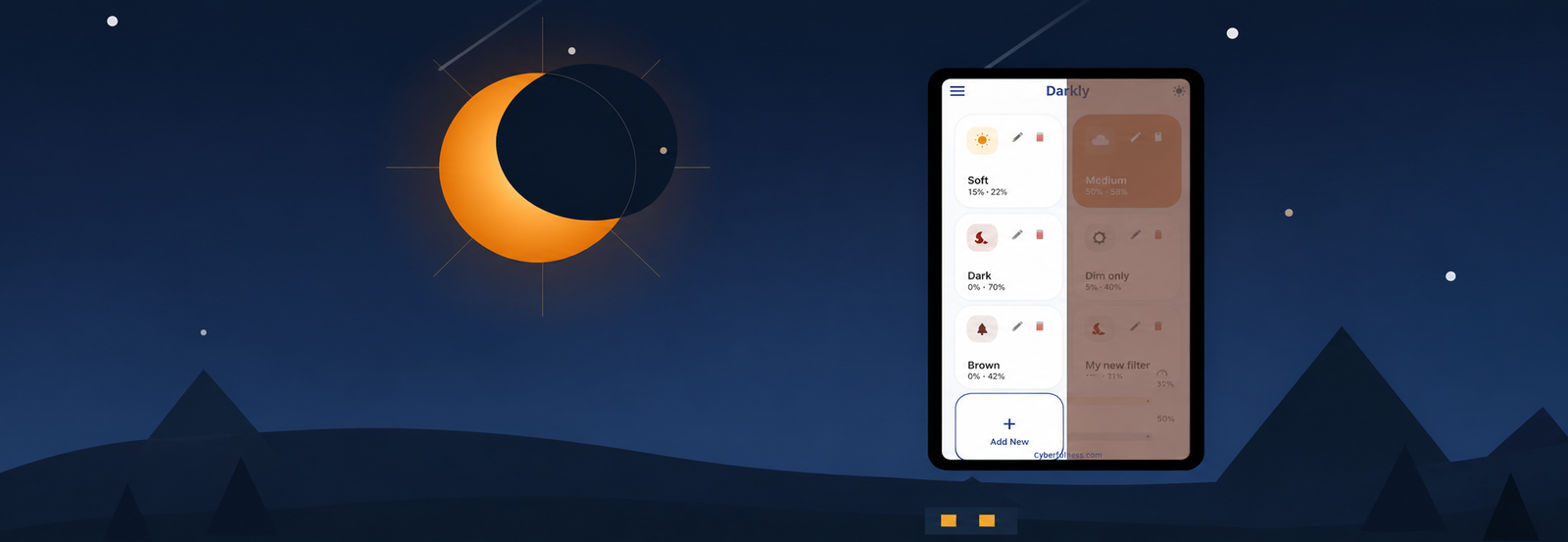
The app is built around a few controls that address different aspects of screen comfort. They work together, but they aren’t interchangeable.
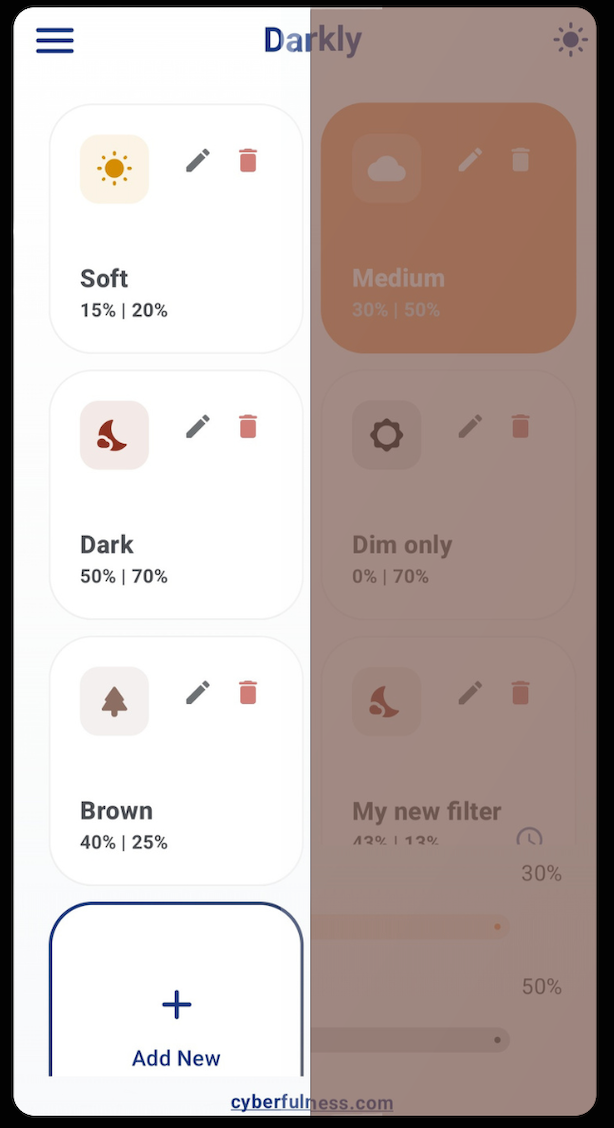
The first is a warm color filter. A slider lets you change the display i.e. toward an amber tone, which gives you more control than a simple on/off night mode. You can go for a small change or a much warmer look, depending on your preference and surrounding lights. No single setting works for everyone so the point is to make the display easily adjustable.
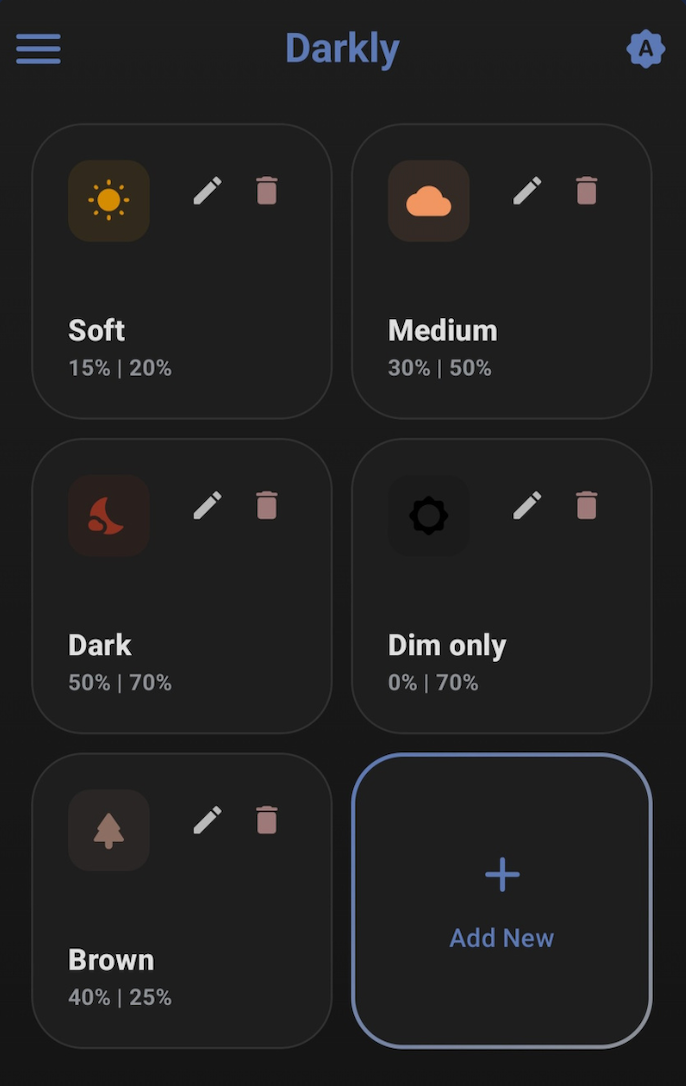
The second is deep dimming. Every phone that I know has a minimum brightness setting but in a dark bedroom even that can feel too bright. Darkly adds an overlay that lowers the brightness below that limit, which helps when you’re reading at night or using your phone without lighting the room and your eyes. Keep in mind that an overlay changes how the screen looks rather than the panel’s actual brightness, so you still have system control available.
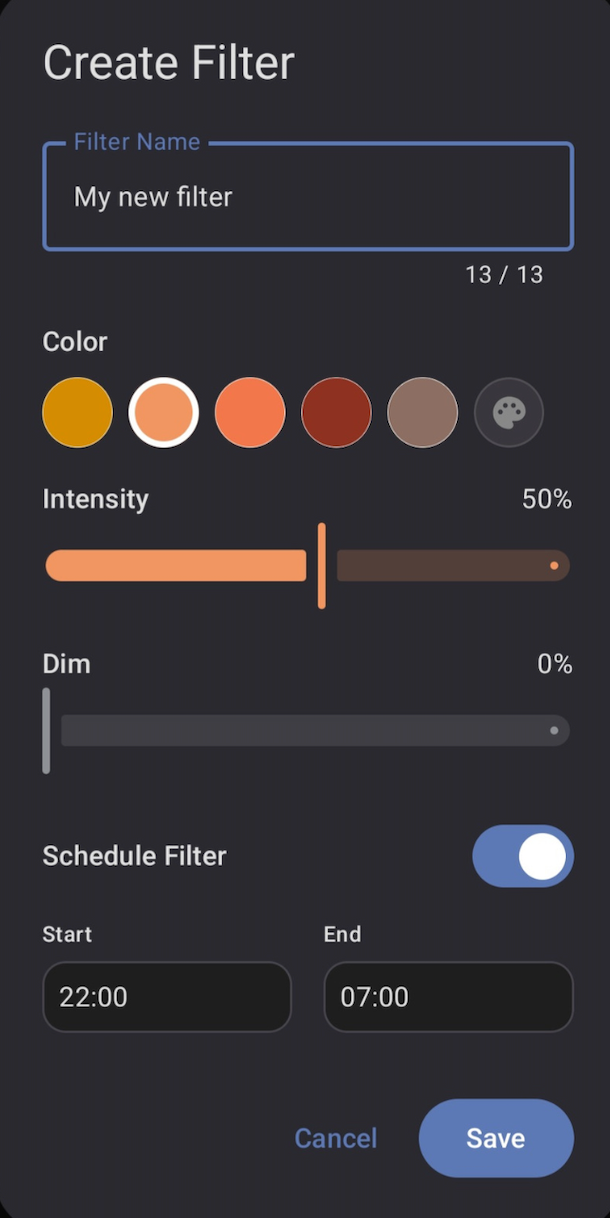
Then there is my favorite – scheduling. If you use your phone at similar times each evening (which usually is a case), you can configure Darkly to activate automatically. The intention is to avoid having to remember the same adjustment every night. Less clicks = more comfort. Gradual transitions help the change feel less abrupt, so the screen doesn’t suddenly shift from its daytime appearance to a very warm filter. Your eyes get use to the filter quickly.
| Feature | What it is for | When it may be useful |
|---|---|---|
| Warm colour filter | Adjusts the display toward amber | Reading or browsing in the evening |
| Deep dimming | Reduces apparent brightness below the usual minimum | Using a phone in a dark room |
| Automatic scheduling | Applies your preferred settings at chosen times | Building a consistent evening routine |
| Optional accessibility overlay | Extends the filter across additional screen areas | When you want more complete visual coverage |
| Simple interface | Keeps the main controls easy to find | When you want to adjust settings quickly |
Does a warmer screen color always mean better sleep?
It may help with one part of the problem, but it is important not to promise more than the evidence supports.
Research into evening light exposure shows that light can influence the circadian system, including melatonin secretion and sleep timing. Short-wavelength light is particularly relevant to this process. But the effect of a screen depends on more than its color – brightness, duration, viewing distance, timing and individual sensitivity all play a role.
According to large JAMA Network Open study around 41.2% reported using digital screens daily in the hour before bed. Compared with people who did not use screens at that time, daily screen users had a 33% higher prevalence of poor sleep quality and slept around 7.6 fewer minutes on workdays on average.3
Darkly is designed to help you manage the screen itself. It is not a treatment for insomnia, and it cannot guarantee improved sleep.
For a deeper look at the science, see the related Cyberfulness article – How Blue Light Shapes Your Sleep and Health.
A small tool, not another wellness system
There is a temptation to turn every health-related app into a platform. Add tracking, streaks, achievements, notifications, analytics, accounts and a dashboard that tells you how well you’re doing. Sometimes those features are useful. In a simple screen-filtering app, they can also distract from the job.
I wanted Darkly to be something you can configure in a short moment and then forget about. That was one of the main drivers. Ease of use. Once your preferred filter and schedule are set, the app should mostly stay out of the way. You should only see that in notification bar for easier accessibility. You shouldn’t have to spend more time managing your screen settings than you save by having them.
Darkly won’t persuade you to stop scrolling, and it won’t tell you that every minute spent on a screen is wasted. It gives you more control over one part of that experience. What you do with the extra control is up to you.
Privacy matters, even in a simple utility
A screen-filtering app doesn’t need to know much about the person using it. Therefore Darkly is designed to work without collecting or sharing personal data, and it requires minimal permissions for its core functionality. It should be obvious for each of such utility app but not always is
Privacy is not an option, and it shouldn’t be the price we accept for just getting on the Internet.
Gary Kovacs4
The optional Accessibility permission is more powerful than an ordinary setting. Android accessibility services can have broad capabilities, so it is sensible to understand why an app requests access before enabling it. In Darkly’s case, the purpose is to extend the visual filter over more of the screen, not to read what appears on it. For example it let’s you to dim settings windows or notification bar.
That is a principle I want to preserve as the app develops. A small utility should not require a complicated relationship with your personal data. It should do its job without asking for information that has nothing to do with that job.
Try Darkly as part of your evening routine
If your screen feels uncomfortable at night, start with a small experiment. Don’t try to change everything at once. Adjust the color temperature until the display looks comfortable, then lower the brightness to a level that suits your room. Your eyes will get use to that. If you regularly use your phone at the same time in the evening, try scheduling the filter so you don’t have to remember to activate it. That’s one of my favorite features.
Pay attention to the whole evening routine as well. Try to dim the lights around you, avoid letting the phone delay your bedtime, and consider putting it away when you are almost ready to sleep. If you’re experiencing constant sleep difficulties or strong eye discomfort, a screen filter should not replace appropriate professional advice, in such case don’t wait to contact your eye doctor.
The app is built around a small but important goal – make your screen warmer, dim it further when necessary to feel better, and let you do both without overdone complexity. It won’t solve every problem associated with evening phone use, that’s clear, but it can make the experience more comfortable. Sometimes that’s enough for a useful tool.